How to Deployment in Salesforce Using Gearset
By Aman Garg · Published · Salesforce Deployment

What is Gearset?
Gearset is the complete DevOps solution. More quickly and easily than ever before, we assist teams in comparing, moving, and tracking changes between Salesforce environments.
Advantages of using Gearset-:
- quickly contrast settings to identify differences
- quickly create deployment bundles to synchronize organizations
- Develop a development methodology that incorporates version control.
- configure the automated advanced deployment
- Track adjustments with thorough change reports across environments.
- without using the command line, adopt Salesforce DX
- Using rollback and metadata backups reduces risks
- Boost teamwork and lessen coding conflicts.
How to Use Gearset to Deploy Changes from Source Org to Target Org
1. Open Gearset.
2. Sign in using your Google or Salesforce credentials.
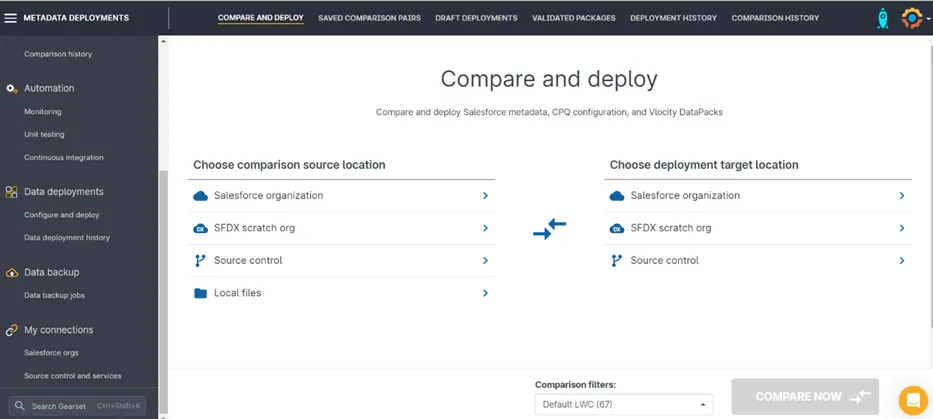
3. Click on the Salesforce Org.
4. At the source location, click on the Salesforce Organization

5. Select the “Org” icon.

6. Write the source sandbox username.
7. Select the Sandbox Organization.
8. Click Authorize.
9. Select the source sandbox username on the screen of the Salesforce login.
10. Once the connection is established.
11. At the target location, click on the Salesforce Organization
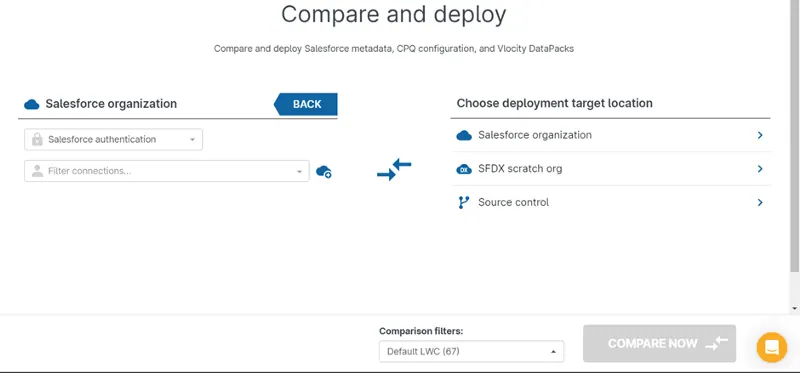
12. click on the org Icon.

13. Write the target sandbox username.
14. Select the sandbox organization.
15. Click Authorize.
16. Select the target sandbox username on the screen of the Salesforce login.
17. Once the connection is established.
18. Click Compare Button
19. After you have completed the comparison of changes, please select the changes that you have made to the source organization.
20. Select the Next option.
21. Click the Pre-Deployment Summary Button.
22. Click the Validate Deployment button to validate these changes and see if they are validated successfully.
23. Click the “Deploy Now” button