Salesforce’s OmniStudio DataRaptor is a powerful tool designed to meet these needs, providing robust capabilities for data management and transformation within the Salesforce ecosystem. Whether you’re a Salesforce developer, admin, or business analyst, understanding how to harness the power of DataRaptor can significantly enhance your data handling and process automation skills.
What is OmniStudio DataRaptor?
OmniStudio DataRaptor is a declarative data integration tool within Salesforce that allows users to extract, transform, and load (ETL) data. It is part of the OmniStudio suite, which also includes FlexCards, OmniScripts, and Integration Procedures. DataRaptor enables users to perform complex data manipulations without needing to write extensive code, making it accessible to a broader range of users.
Key Features of OmniStudio DataRaptor
- Declarative Configuration: Create and manage data transformations using a point-and-click interface. This reduces the need for custom coding and speeds up development cycles.
- Versatile Data Handling: DataRaptor can handle multiple data formats, including JSON, XML, and custom formats, making it flexible for various integration scenarios.
- Real-Time Data Processing: Process data in real-time, ensuring that your applications always have access to the most up-to-date information.
- Reusable Components: Build reusable DataRaptors that can be leveraged across different OmniStudio applications, promoting efficiency and consistency.
- Data Mapping and Transformation: Easily map and transform data fields to match your Salesforce data model, simplifying the integration of external data sources.
Types of DataRaptors
OmniStudio DataRaptor includes several types of data operations to suit different use cases:
- Extract: Retrieve data from Salesforce objects and external systems.
- Transform: Manipulate data, apply business logic, and format it according to your needs.
- Load: Insert, update, or delete records in Salesforce, ensuring that your data is synchronized and up-to-date.
- Turbo Extract: Designed for performance-intensive scenarios, Turbo Extracts are optimized for fast data retrieval with limited transformations.
Benefits of Using DataRaptor
- Efficiency: Speeds up the development process by providing a user-friendly interface for data operations.
- Consistency: Ensures data integrity and consistency across different applications by reusing DataRaptors.
- Flexibility: Adaptable to a wide range of data integration and transformation needs, from simple data extracts to complex transformations.
- Scalability: Supports large-scale data operations, making it suitable for enterprises of all sizes.
Components of DataRaptors
Let’s delve into the components of OmniStudio DataRaptor:
DataRaptor Designer
The DataRaptor Designer is the graphical user interface (GUI) where users design, configure, and manage DataRaptors.
- Preview Component: The Preview component within DataRaptor serves as a vital tool for users engaged in data transformation tasks. Its primary function is to offer a visual representation of data at different stages of the transformation process, aiding in validation and debugging. The Preview component provides interactive exploration capabilities, allowing users to interact with the previewed data through sorting, filtering, and searching functionalities, thereby enhancing the validation process and ensuring that the transformed data meets desired requirements before further processing.
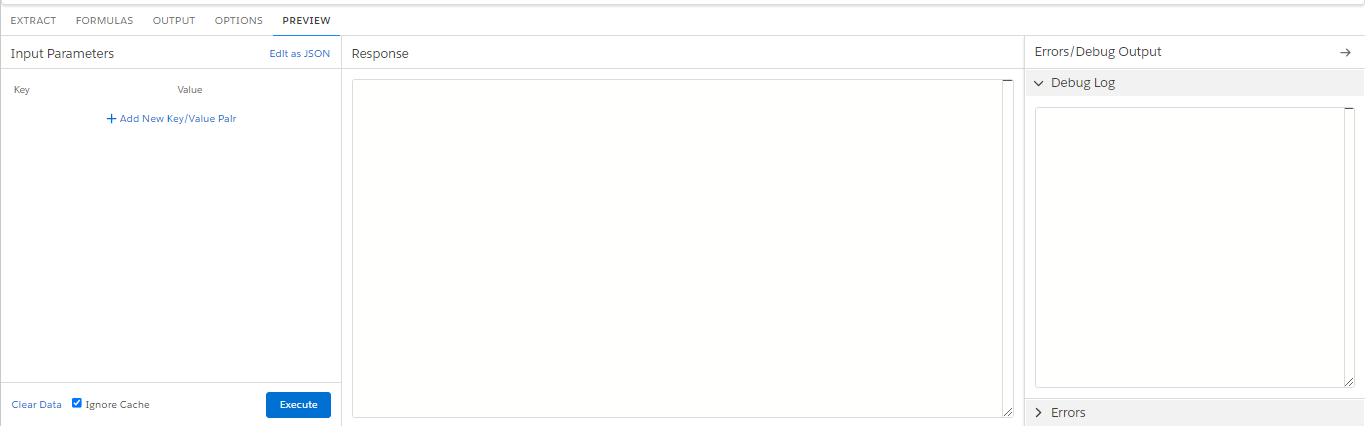
Formula Component: The Formula component within DataRaptor empowers users with the capability to perform intricate calculations, apply business logic, and transform data fields as part of the data transformation process. At its core, the Formula component provides an intuitive expression editor interface, facilitating the construction of complex formulas using functions, operators, and variables. Additionally, the Formula component supports conditional logic, allowing users to implement conditional statements such as IF-THEN-ELSE to apply different transformations based on specific conditions.

Output Component: The component allows users to meticulously configure the output data, ensuring it meets the desired specifications and requirements. Through the Output component, users can map transformed data fields to corresponding output fields, guaranteeing alignment with the intended data structure. Additionally, users can define properties and metadata for each output field, including data type, length, precision, and scale, to accurately represent the data. Furthermore, the component offers flexibility in specifying the format of the output data, supporting various formats such as JSON, XML, CSV, or custom formats tailored to specific use cases or downstream systems.

How to Create Dataraptor
- Log in to OmniStudio Salesforce’s platform.
- Navigate to the Salesforce DataRaptor.
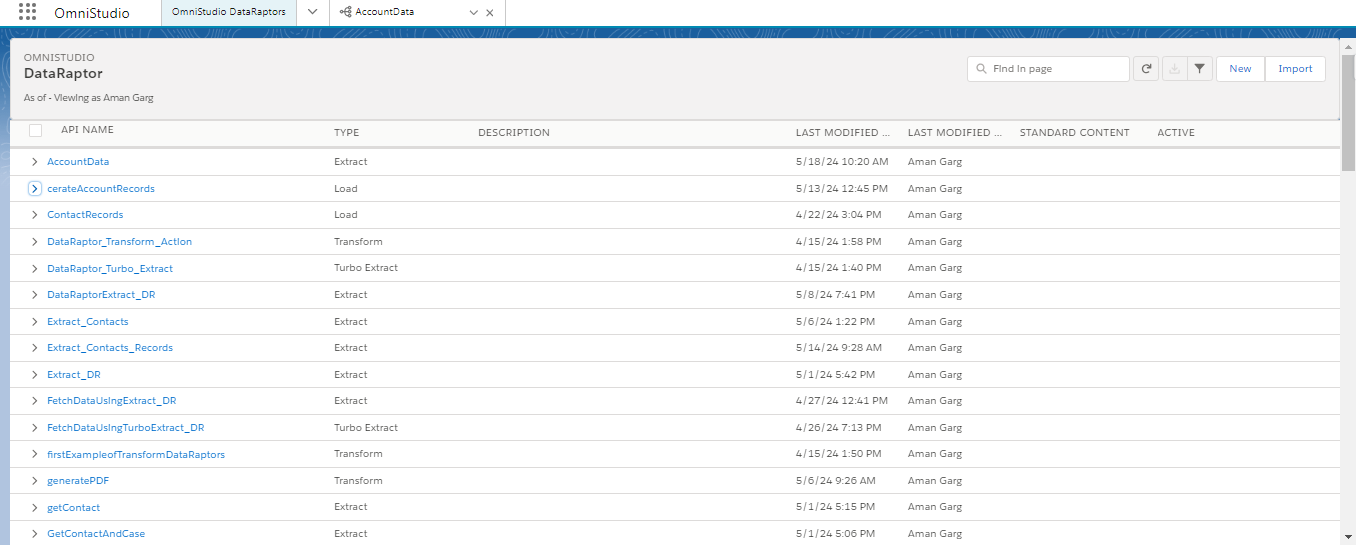
- Click on “Create New DataRaptor” to initiate the creation process.
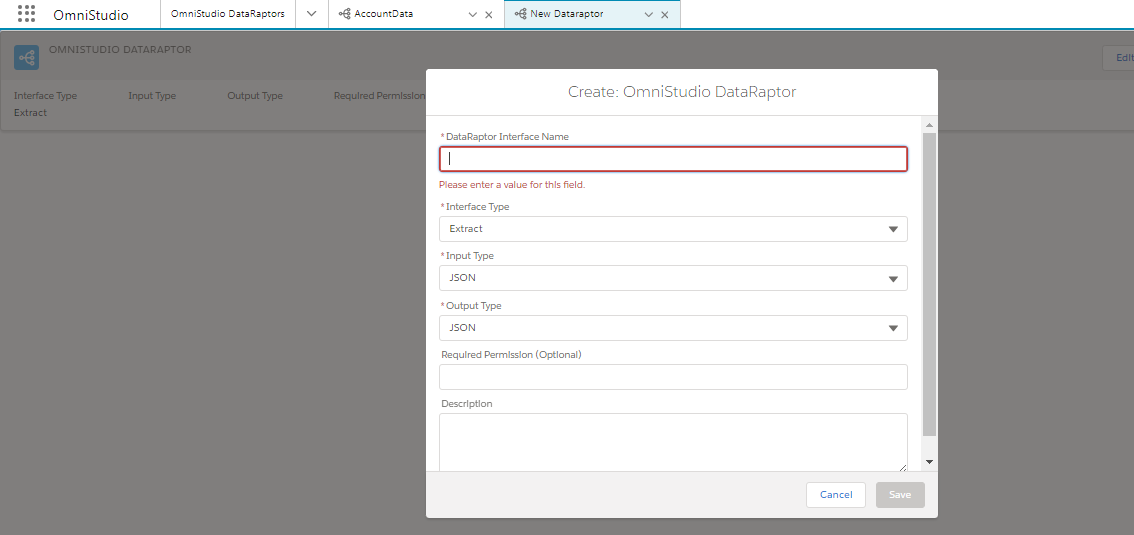
- Define the DataRaptor Name & Interface Type.
- Click on the Save Button.
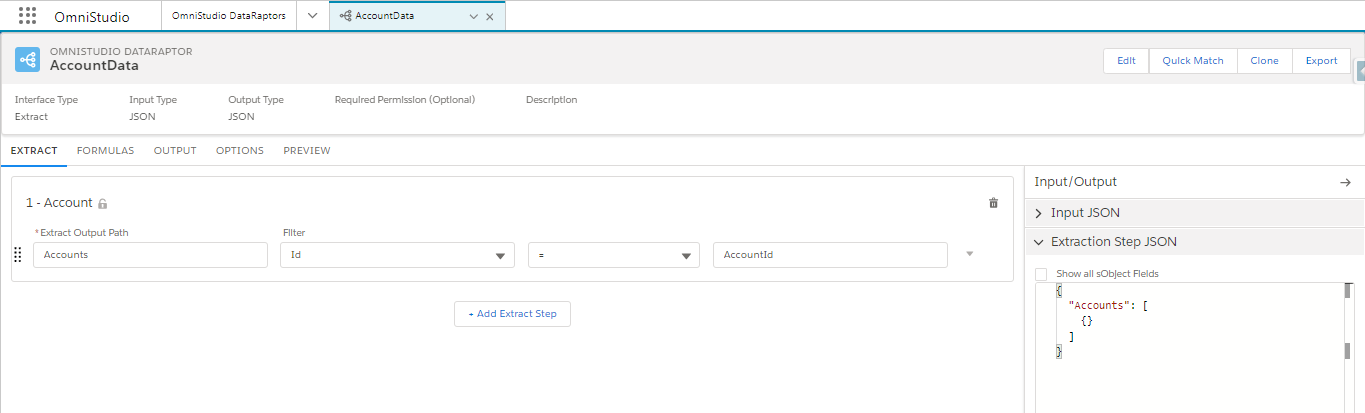
- Select the Object Name and give this filter like:-
- Goto the Output Tab & Map the fields name with the output fields.
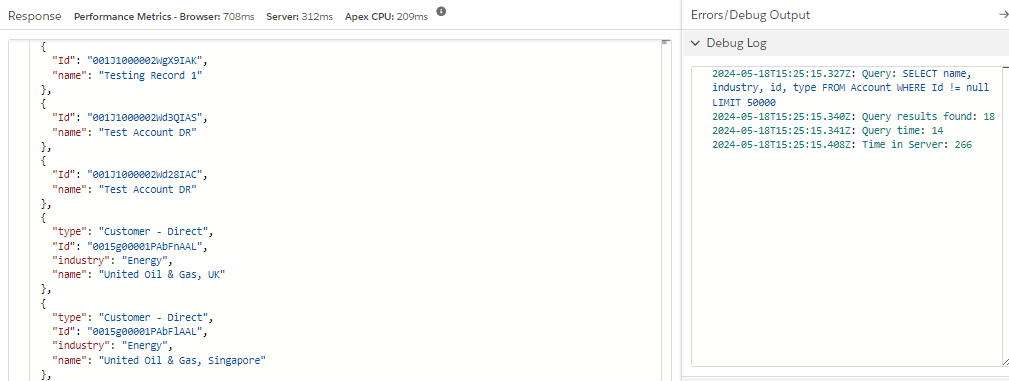
- Goto Preview Tab & Click on the Extract Button.
Conclusion
OmniStudio DataRaptor is a game-changer for Salesforce users, offering a powerful, declarative approach to data integration and transformation. By leveraging its capabilities, you can streamline your data operations, enhance efficiency, and drive better business outcomes. Whether you’re just getting started or looking to optimize your existing processes, mastering DataRaptor is a valuable investment in your Salesforce toolkit.
Ready to take your Salesforce data management to the next level? Dive into OmniStudio DataRaptor and unlock the full potential of your data today!