
Salesforce has emerged as a trailblazer, offering a suite of powerful tools designed to streamline business processes and enhance customer experiences. At the heart of this CRM giant lies the Salesforce Service Cloud – a robust platform that redefines customer support and service management. In this blog post, we will explore the key features and benefits of Salesforce Service Cloud and understand how it revolutionizes the way organizations handle customer interactions.
Understanding Salesforce Service Cloud
Salesforce Service Cloud is a powerful customer service and support application that empowers businesses to deliver exceptional customer experiences. It goes beyond traditional support systems, offering a unified platform for managing customer inquiries, resolving issues, and building lasting relationships.
Key Features of Salesforce Service Cloud
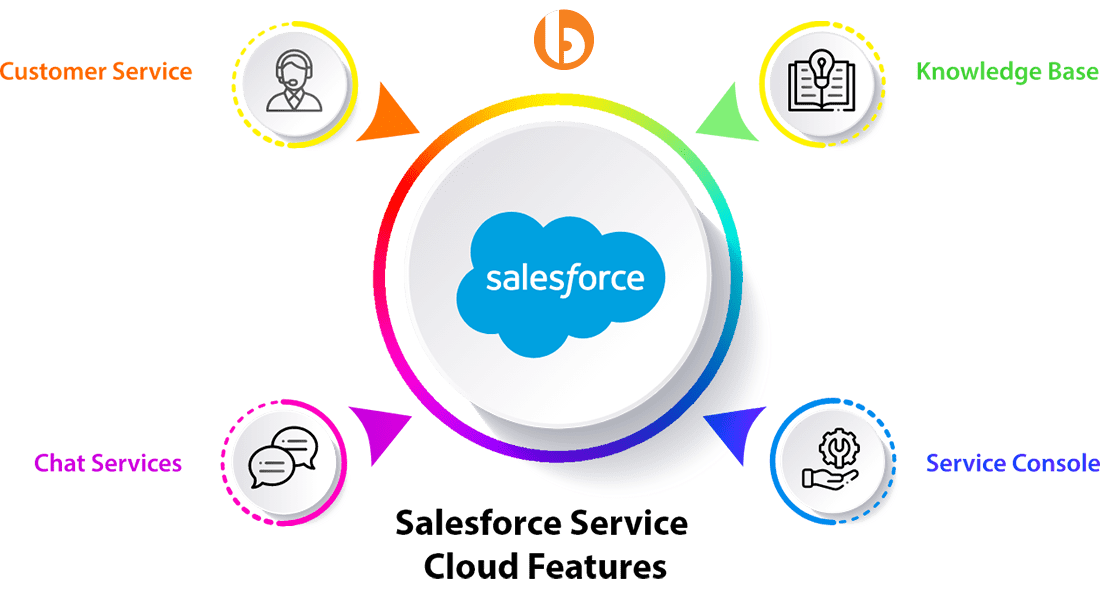
- Case Management: Service Cloud enables efficient case creation, assignment, and resolution, ensuring that customer issues are addressed promptly.
- Knowledge Base: Organizations can create a centralized repository of information, FAQs, and resources, allowing agents to access relevant data and provide accurate solutions.
- Omni-Channel Support: With support for various communication channels such as email, chat, social media, and phone, Service Cloud ensures a seamless omnichannel experience for customers.
- Automation and AI: Leverage automation and artificial intelligence to streamline repetitive tasks, prioritize cases, and provide intelligent insights for better decision-making.
Benefits of Salesforce Service Cloud

- Enhanced Customer Satisfaction: Service Cloud’s user-friendly interface and quick issue resolution contribute to higher customer satisfaction, fostering loyalty and positive brand perception.
- Improved Agent Productivity: The platform equips support agents with the tools and insights to efficiently address customer concerns, reducing response times and increasing productivity.
- Scalability and Customization: Salesforce Service Cloud is highly scalable, allowing businesses to adapt and grow without compromising on service quality. Moreover, it can be customized to align with unique business processes.
- Analytics and Reporting: Gain valuable insights into customer service performance through robust analytics and reporting tools. Monitor key metrics, identify trends, and make data-driven decisions to enhance service quality continually.
Best Practices for Salesforce Service Cloud Implementation
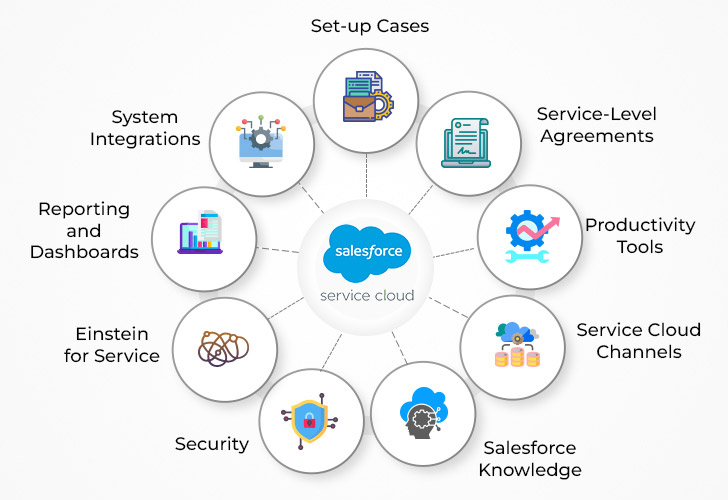
- Outline the steps you take to assist customers.
- Ensure omnichannel case management is supported.
- Entitlements will help you automate your processes. Major Events and Major Steps
- Take advantage of the service console to increase team member output.
- Integrate critical data and dashboards to create a continuous feedback loop for your agents in real-time.
- Learn your current procedures.
- Put together a group of specialists from different fields.
- Learn about the characteristics of a service cloud.
- The Service Console is an agent-empowering tool.
- Salesforce Service Cloud implementation plan
Flow of Service Cloud
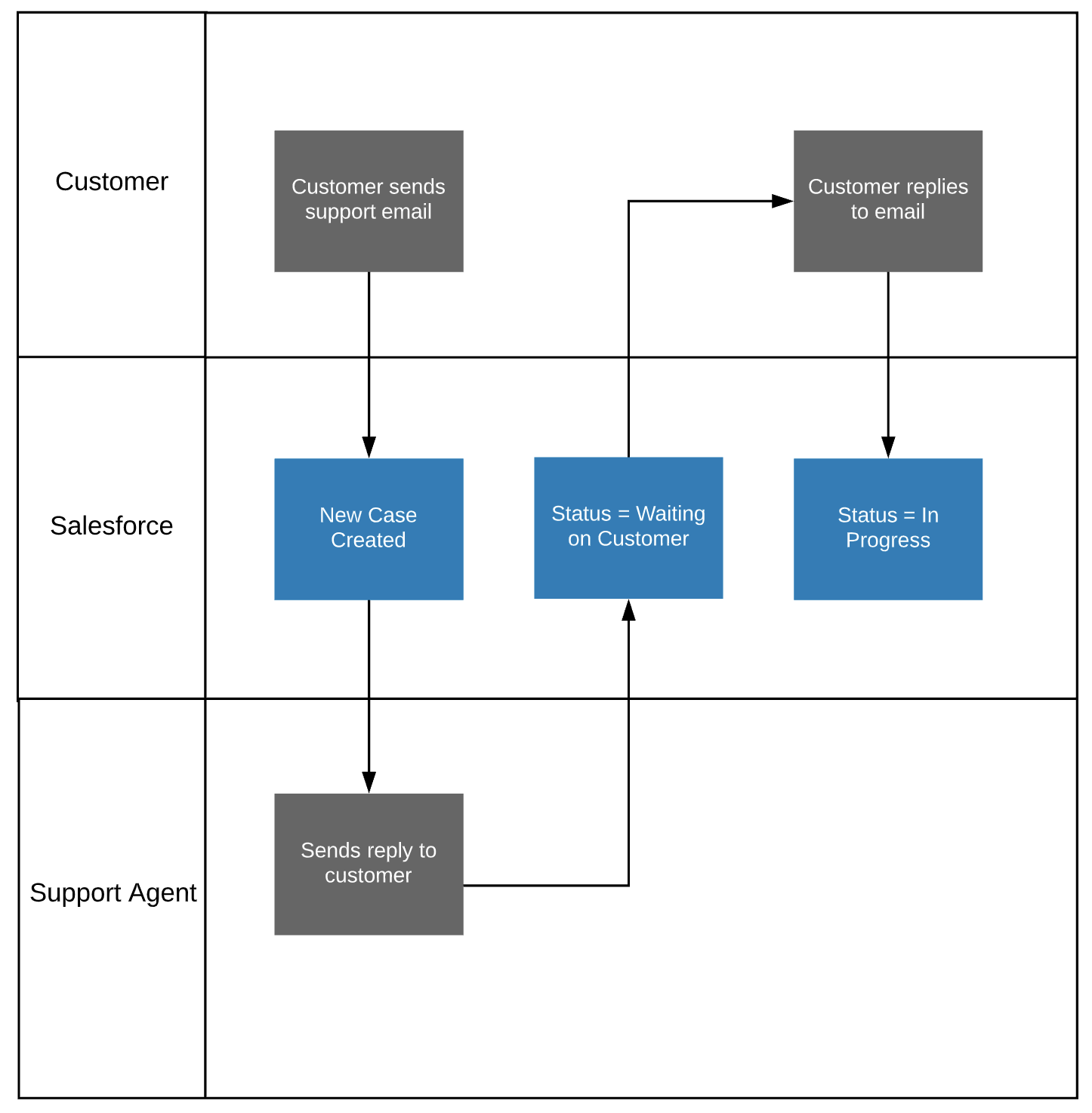
Let’s break down the process of how a case is generated in Salesforce Service Cloud, step by step:
Customer Interaction:
The process typically begins when a customer or end-user encounters an issue, or question, or needs assistance. This interaction can take place through various channels, including:
- Email: Customers may send an email to a designated support email address.
- Web Forms: Online forms on a company’s website allow customers to submit support requests.
- Chat: Real-time chat support on the company’s website or other platforms.
- Social Media: Customers may reach out through social media channels like Twitter, Facebook, or LinkedIn.
- Phone: Traditional phone support where customers call in with their concerns.
Creation of a Case:
Based on the customer interaction, a case is created in the Salesforce Service Cloud. A case is a record that captures details about the customer’s inquiry, issue, or request for support. Key information included in a case might be:
- Customer details
- Description of the issue
- Priority level
- Date and time of the request
Automatic Case Creation (Optional):
In some instances, organizations may set up automated processes to create cases. For example, emails sent to a specific support email address could trigger an automated process that creates a case in Salesforce Service Cloud.
Case Routing:
Once the case is created, it needs to be assigned to the right support agent or team for resolution. Salesforce Service Cloud provides features for automated case routing based on predefined rules or manual assignment by a supervisor.
Knowledge Base Access:
The assigned support agent has access to the Knowledge Base within the Salesforce Service Cloud. This is a centralized repository of information, solutions, and resources that helps agents find relevant information to address the customer’s issue accurately.
Agent Interaction:
The support agent reviews the details of the case, explores relevant information in the Knowledge Base, and may engage in communication with the customer for additional details or clarification if needed.
Case Resolution:
The support agent works to resolve the case by providing solutions, answering questions, or taking necessary actions to address the customer’s concern. This may involve collaborating with other team members or leveraging automated workflows.
Automation and AI:
Salesforce Service Cloud incorporates automation and artificial intelligence features to streamline processes. Automation might include the automatic updating of case status, sending notifications, or initiating follow-up actions.
Closing the Case:
Once the customer’s issue is resolved, the support agent updates the case status to indicate resolution. The case is then considered closed. If there are additional steps or follow-up required, the case may be kept open until all necessary actions are completed.
Customer Feedback:
Salesforce Service Cloud allows organizations to collect feedback from customers regarding their support experience. This feedback loop is valuable for measuring customer satisfaction and identifying areas for improvement.
Reporting and Analysis:
Organizations can utilize the reporting and analytics features of Salesforce Service Cloud to analyze trends, monitor key metrics, and gain insights into the performance of their customer support operations.
Activity Engagement in Salesforce
Activity Engagement refers to the interactions and engagements recorded between users and their leads, contacts, accounts, or opportunities. It encompasses various types of activities such as emails, calls, meetings, and tasks. Tracking these activities is crucial for understanding the level of engagement and communication history with customers.
Task and Event management plays a pivotal role in tracking and organizing various activities and engagements with leads, contacts, accounts, and opportunities.
Types of Activities:
- Task
- Event
- Call Log
Task: Task in Salesforce is used to track specific to-do items, both for individual users and for multiple users collaborating on an opportunity, account, or case. It ensures important actions and follow-ups.
Event: Event is used to track calendar events, such as meetings and appointments, allowing users to schedule and manage their activities.
Important Fields of Task & Event
- Subject: The Subject field provides a concise label or description of the task or event, offering a quick overview of its nature or purpose.
- Due Date(On Task): The Due Date field specifies the deadline or expected completion date for the task, assisting users in managing their workload and prioritizing tasks effectively.
- Status(On Task): The Status field reflects the current state or progress of the task. It helps users and managers track the lifecycle of a task, from creation to completion.
- Related To: The Related To field establishes a connection between the task and a specific Salesforce record, providing context and linkage to the associated lead, contact, account, or opportunity.
- Start and End Dates(On Event): In the context of an event, the Start and End Dates fields define the timeframe during which the event is scheduled to take place, facilitating effective calendar management.
- Priority: The Priority field categorizes tasks based on their urgency or significance. It assists users in prioritizing their work and focusing on high-priority tasks first.
- Event Type: The Event Type field categorizes the nature of the event, such as a meeting, call, webinar, etc. It provides additional context for users scheduling and managing events.
- All Day Event(On Event): When checked, signifies that a task is an all-day event, without a specific start and end time. This is useful for tasks or events that span the entire day.
- Name: This field’s API name is WhoID and using this field tasks can be related to a lead or contact. This field is also polymorphic.
- Assigned To: The Assigned To field designates the specific Salesforce user or group responsible for completing the task or managing the event. It is crucial for task delegation and ownership.
Case Management in Salesforce
Case management in Salesforce is a robust solution designed to streamline and optimize customer support processes. It revolves around the effective handling and resolution of customer inquiries, issues, or service requests. The system allows organizations to create, assign, and track cases, ensuring a seamless and efficient customer support experience.
Important Field of Case
- Case Subject
- Case Description
- Case Owner
- Case Status
- Case Priority
- Case Reason
- Case Origin
Case Management Process
- Cases are created when customers submit inquiries or encounter issues.
- Cases are assigned to specific agents or teams responsible for resolution.
- Based on the urgency and impact of the issue, the Case Priority field helps prioritize cases, ensuring that critical problems are addressed promptly.
- The Case Status field is regularly updated to reflect the current state of the case.
- Support agents work on resolving the case, and once resolved, the case is marked as Closed. The Case Status, along with customer feedback, provides insights into the resolution quality.
- Organizations leverage Salesforce reporting tools to analyze case data, track resolution times, and identify areas for improvement in the customer support process.
In Salesforce, cases can be created through various channels, providing flexibility and adaptability to different customer engagement scenarios. The platform offers multiple ways to initiate the creation of a case, catering to the diverse needs of organizations and their customers.
- Web-to-Case Forms: Salesforce enables organizations to embed Web-to-Case forms on their websites. When customers fill out these forms with their inquiries or issues, a new case is automatically generated in Salesforce. This method ensures seamless integration between a company’s online presence and its customer support system.
- Email-to-Case: Email-to-Case is a powerful feature that allows customers to create cases by sending emails to a designated support email address. Salesforce automatically converts these incoming emails into cases, capturing the email content, attachments, and sender details. This method is convenient for customers who prefer traditional email communication.
- Phone Support and Call Logging: Cases can be created during phone interactions through manual entry by support agents. Salesforce provides call logging features, allowing agents to capture details of the customer’s inquiry or issue during or after a phone conversation. This ensures that phone support interactions are well-documented and tracked within the system.
- Community Portals: Salesforce Communities provide a platform for customers to interact with organizations. Through community portals, users can log in, access knowledge articles, and create cases to report problems or seek assistance. This self-service option empowers customers to initiate support processes on their own.
- Chat Support: For organizations offering chat support, cases can be created directly through chat interactions. As customers engage with support agents in real-time through chat, the details of their inquiries or issues can be recorded to create a case seamlessly.
- Social Media Integration: Salesforce allows integration with social media platforms, enabling organizations to monitor and capture customer inquiries or complaints made through social channels. These social interactions can be transformed into cases, ensuring that support teams can address issues raised on platforms like Twitter or Facebook.
Case Assignment Rules
Case Assignment Rules automate the process of routing incoming cases to the appropriate support agents or teams based on predefined criteria. These criteria can include attributes such as case origin, type, priority, or specific custom fields. When a new case is created, the assignment rule evaluates these criteria and assigns the case to the designated owner or queue. This automation streamlines the distribution of workload, ensures cases are directed to experts in specific areas, and maintains a consistent and organized approach to handling customer inquiries.
Case Escalation Rules
Case Escalation Rules, on the other hand, are designed to automatically escalate cases that meet certain criteria, such as breaching predefined service level agreements (SLAs) or staying unresolved for an extended period. Escalation rules may consider factors like case priority, status, or custom fields. When a case meets the escalation criteria, predefined actions are triggered, such as notifying higher-level support or management, changing the case priority, or assigning the case to a different individual or queue.
This ensures that urgent or high-priority cases receive the attention they require, and potential bottlenecks in the resolution process are proactively addressed.
Case Assignment Rules and Escalation Rules contribute to the effectiveness of customer support operations in Salesforce. They automate routine processes, reduce manual intervention, and enhance the overall responsiveness of support teams. By intelligently routing and escalating cases based on specified conditions, organizations can ensure that customer inquiries are handled efficiently, service level commitments are met, and critical issues are addressed on time.
The flexibility and customization options within these rules empower businesses to tailor their case management processes to align with their unique requirements and service standards.
Support Process in Salesforce
In Salesforce, a support process refers to the structured and systematic workflow designed to manage and resolve customer inquiries, issues, or service requests efficiently. It encompasses a series of steps, automation, and defined procedures that guide support teams in providing timely and effective assistance to customers.
Key Components of a Support Process
- Case Creation: The support process begins with the creation of a case. Cases are created to capture and document customer inquiries, issues, or service requests.
- Case Assignment: Salesforce provides Case Assignment Rules that automate the assignment of cases to specific support agents, queues, or teams based on predefined criteria. This ensures that each case is directed to the most appropriate resource for resolution.
- Case Prioritization: Cases are prioritized based on urgency and impact. The priority level helps support teams focus on critical issues first, ensuring timely resolution.
- Customer Follow-Up: After resolving a case, support agents may follow up with customers to ensure satisfaction and gather feedback. Salesforce enables the logging of customer interactions and feedback within the case record.
Conclusion
Salesforce Service Cloud is not just a tool. it’s a catalyst for transformation, enabling businesses to elevate their service levels, foster customer loyalty, and position themselves as industry leaders. The journey towards exceptional customer support, guided by the principles outlined in this guide, promises sustained success and a future where customer interactions are not just managed but truly elevated.