
Salesforce Winter ’27 brings a fresh set of improvements to Flow Builder, automation, user experience, testing, and screen flows. The latest updates focus on making Flow development more powerful, easier to test, better organized, and more user-friendly.
In this blog, let’s explore important Salesforce Winter ’27 features that can improve your Flow development experience.
🚀 1. Flow UI Supports SLDS 2.0
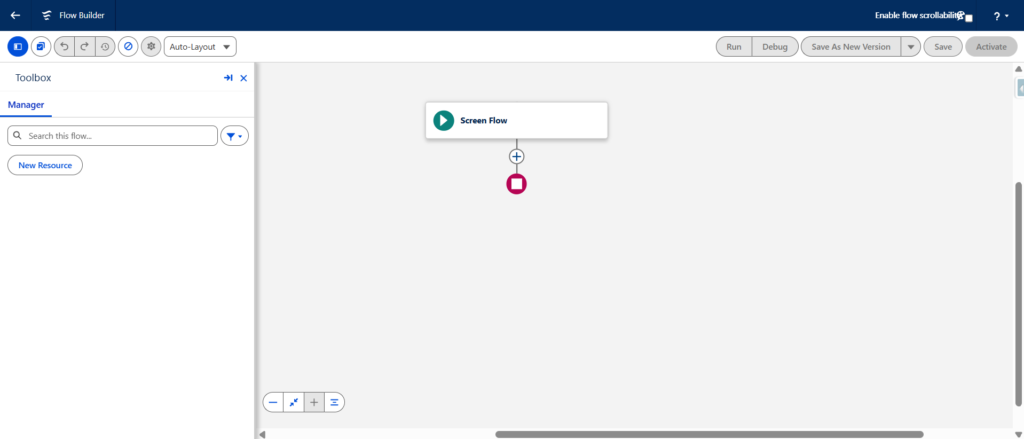
Flow Builder now moves toward a more modern user interface with Salesforce Lightning Design System 2.0 (SLDS 2.0) support.
This provides a cleaner and more consistent experience across Salesforce.
Why it matters:
Developers and admins get a modern Flow development experience aligned with the latest Salesforce UI standards.
🧪 2. Enable Test Coverage and Deploy Flow in Active Mode
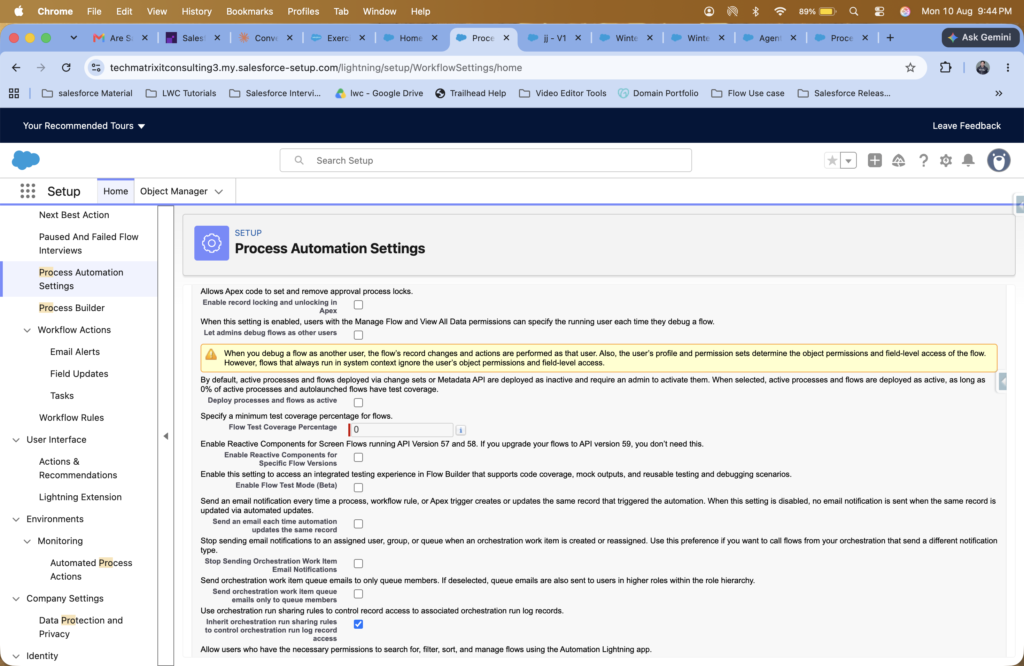
Winter ’27 improves Flow deployment by allowing you to work with test coverage requirements and deploy a Flow directly in Active mode when the required conditions are met.
This helps teams follow a more reliable deployment process.
Key benefit: Better quality control before deploying automation to production.
✅ 3. Create Test Cases While Building the Flow
You can now create and work with Flow test cases during the Flow-building process.
Instead of waiting until the Flow is completely finished, you can validate different scenarios while developing it.
Why it matters:
Build → Test → Fix → Repeat.
This makes Flow development more reliable and reduces unexpected issues.
🏷️ 4. Add Tags When Saving a Flow
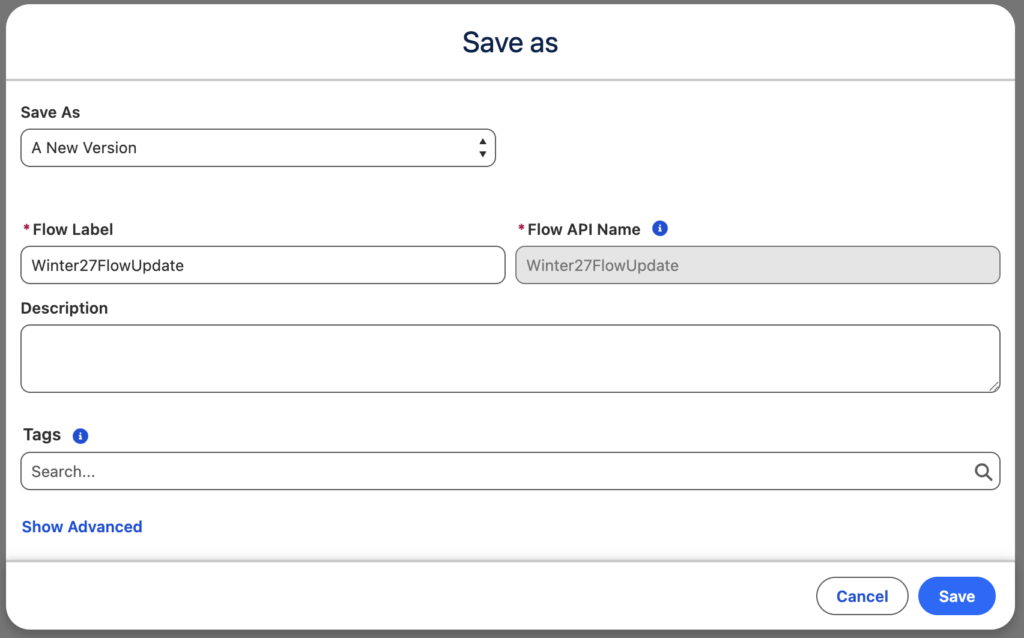
Flow creators can now add tags while saving a Flow.
Tags make it easier to categorize, search, and manage Flows across a large Salesforce org.
Example tags:
- Sales
- Service
- Integration
- Automation
- Finance
🔀 5. New Logic Splits: Split by Date and Split by Field
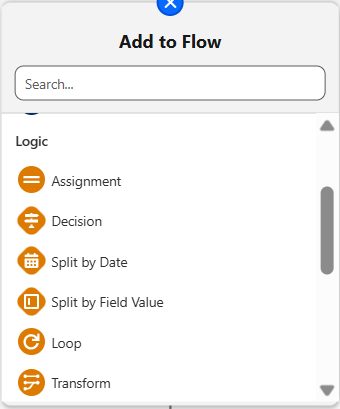
Winter ’27 introduces two useful logic options:
- Split by Date
- Split by Field
These options make it easier to create branching logic based on specific dates or field values.
Example:
You can route records differently depending on a customer’s Date of Birth, Close Date, Status, or Type.
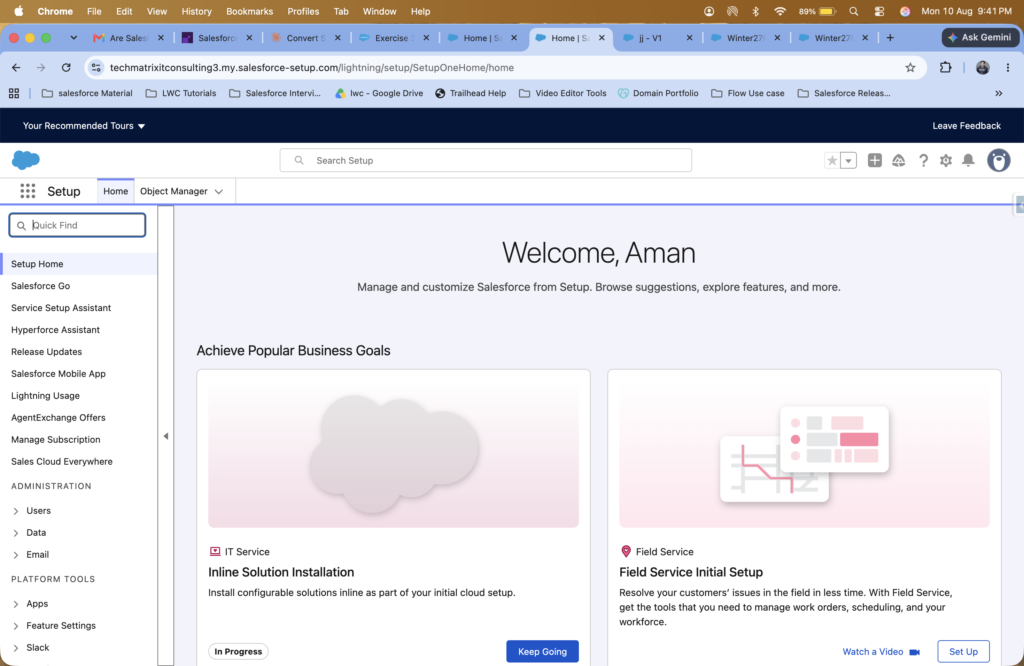
📐 6. Collapsible Sidebar in Setup
The Salesforce Setup experience now provides a collapsible sidebar.
This gives you more workspace when working with configuration and setup pages.
Benefit: More screen space and less visual clutter.
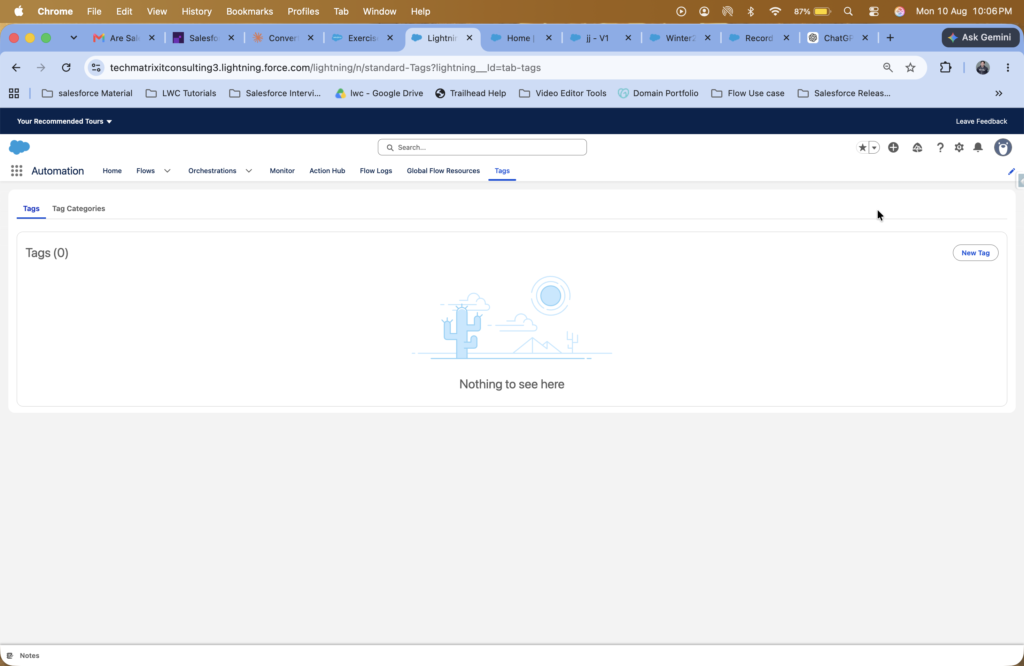
🏷️ 7. Tags Tab in Process Automation
Tags are now easier to manage with a dedicated Tags tab under Process Automation.
This makes it simpler for admins and developers to organize and locate automation assets.
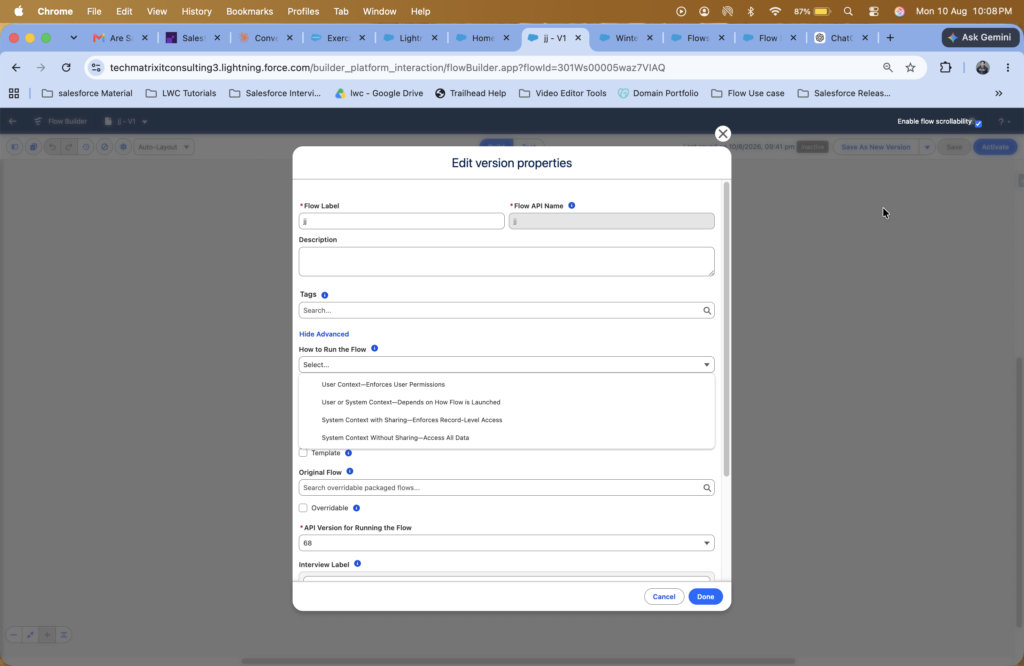
🔐 8. Enforce User Permissions in Flow
Flow configuration now provides better control over user permissions when defining how a Flow should run.
This is especially useful when building automation that needs to respect Salesforce security and access controls.
Why it matters:
It helps ensure that Flow execution follows the appropriate user permissions.
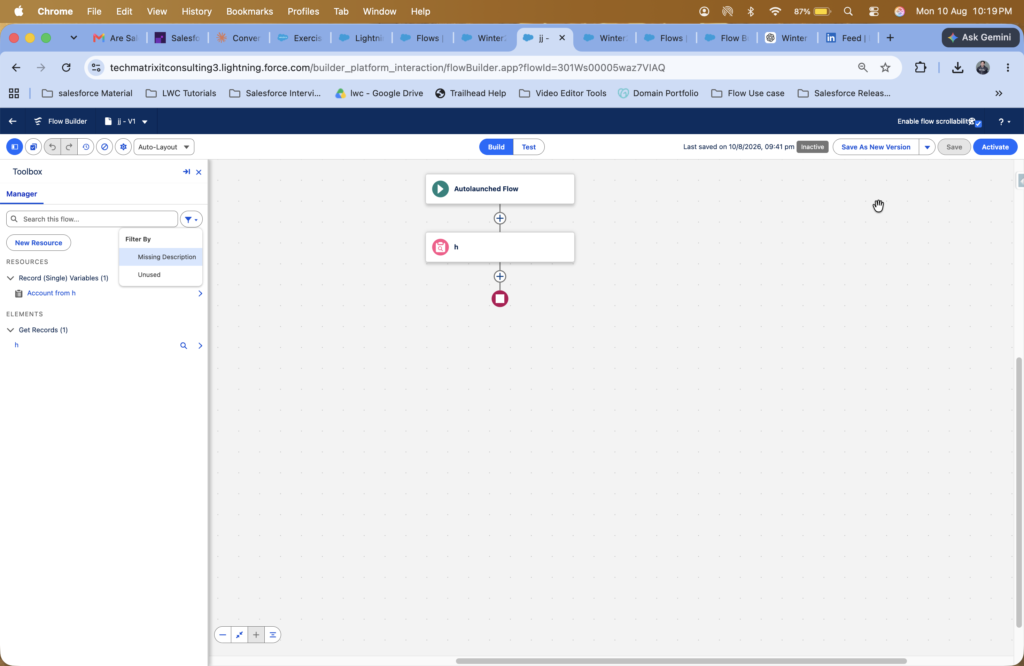
🔎 9. Filter Unused Variables and Elements in Flow Toolbox
Large Flows can contain many variables and elements. Finding the right resource can become difficult.
Winter ’27 makes it easier to filter unused variables or elements in the Flow Toolbox.
Benefit: Faster Flow development and a cleaner building experience.
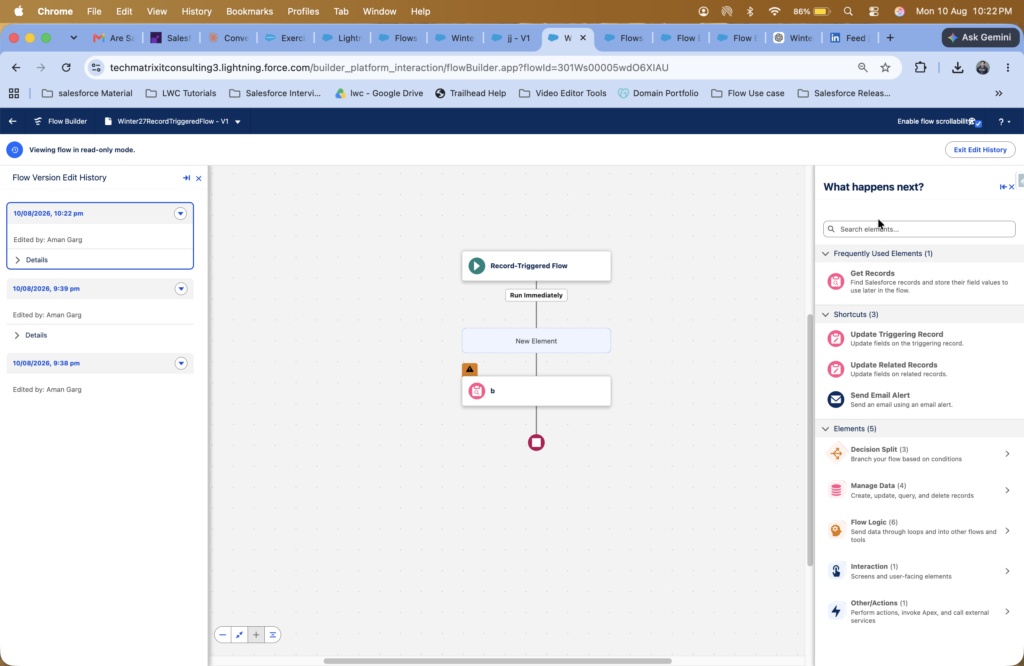
🕒 10. View Flow Change History
Flow now provides better visibility into changes made to the Flow.
You can review the history of Flow modifications, making it easier to understand what changed during development.
Why it matters:
Useful for troubleshooting, collaboration, and maintaining automation.
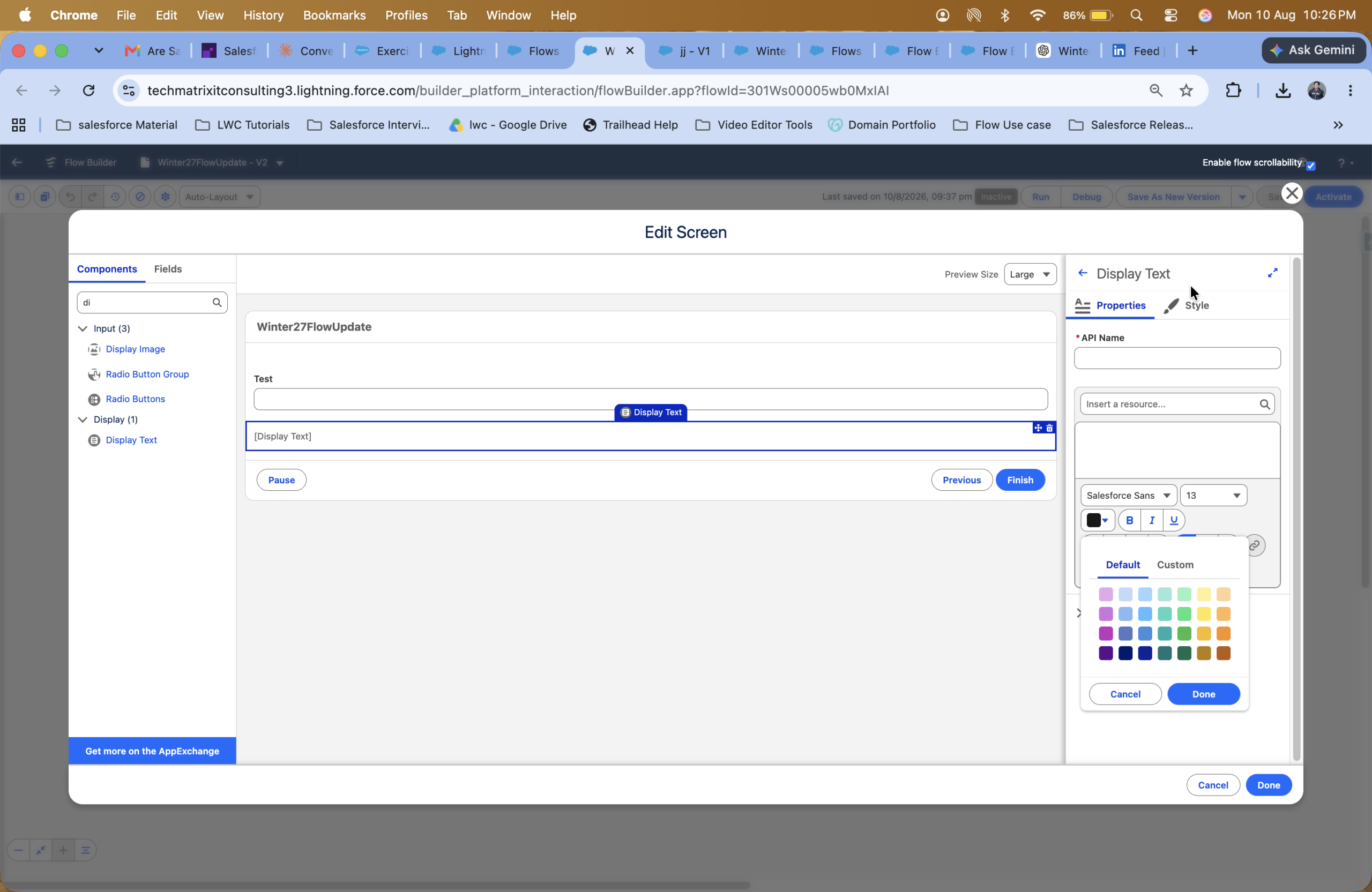
🎨 11. Default Color Picker in Display Text
The Display Text screen component now provides a convenient color picker.
This makes it easier to customize the appearance of text directly within Screen Flows.
Use case: Highlight important information, warnings, instructions, or sections of a screen.
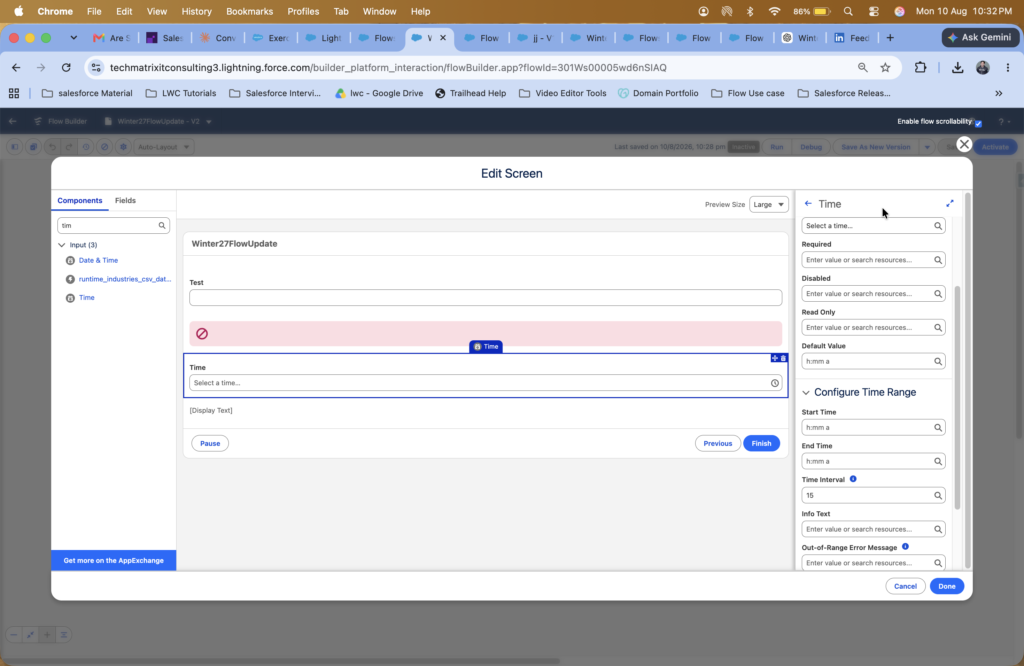
🔔 12. SLDS 2.0 Support for Toast Message
The Toast Message screen component now supports the modern SLDS 2.0 experience.
This helps create a more consistent and visually modern user experience in Screen Flows.
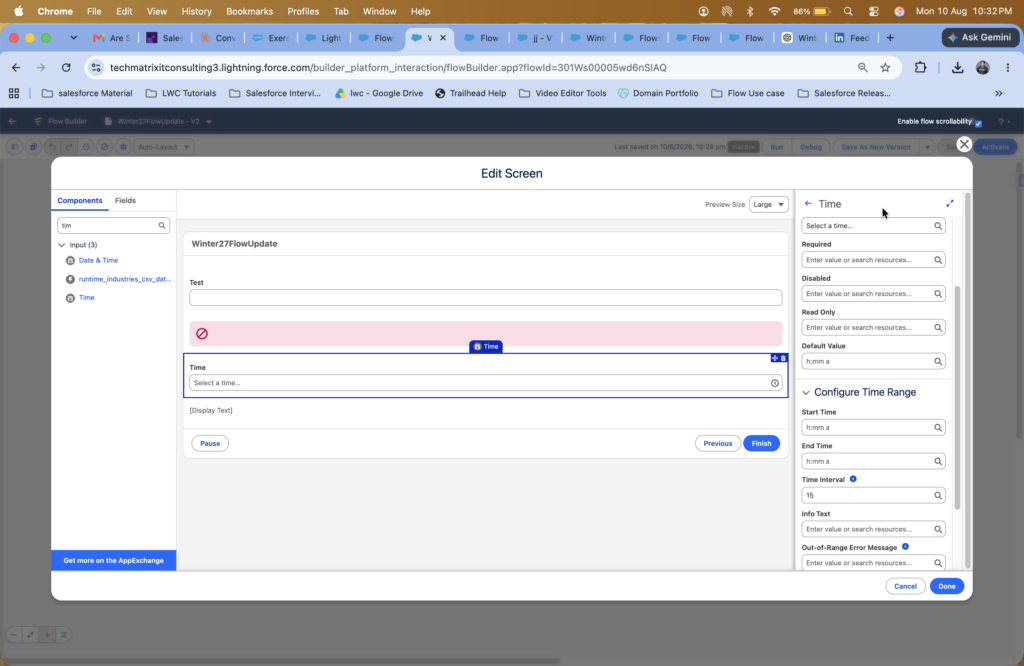
⏰ 13. Time Component in Screen Flow
Screen Flows now support a dedicated Time component for capturing time-based input.
This makes it easier to build flows where users need to provide a specific time.
Example use cases:
- Appointment time
- Service schedule
- Meeting time
- Business hours
- Delivery time
🎯 Final Thoughts
Salesforce Winter ’27 brings several practical improvements to Flow Builder and Salesforce automation.
From SLDS 2.0 and improved testing to Flow tags, better logic options, change history, security controls, and the new Time component, these enhancements can make Flow development faster, cleaner, and more reliable.
For Salesforce Admins and Developers, now is a great time to review these features and start incorporating them into your automation strategy.
🚀 Build smarter. Test better. Automate faster.
Which Winter ’27 Flow feature are you most excited to use?